The Turntable
Producers used to sample a 33 at 45 and pitch it back down on the SP-1200 to squeeze more out of the memory, and the grit that came with it became a sound. eSPi puts the deck right next to the sampler.
What the turntable does
The turntable is a direct-drive deck that plays the selected pad's sample as if it were a record. Change its speed and pitch to prepare a sound the classic way, scratch it with the mouse or your finger, and drop hot cues. A two-channel DJ mixer blends the deck with the rest of eSPi.
- Open it with Cmd/Ctrl + D (standalone), the Turntable sidebar button, or View › Turntable in the standalone app.
- Close it with Esc or the ✕. If the deck is still spinning, the sidebar's Turntable button stays lit to remind you.
The layout
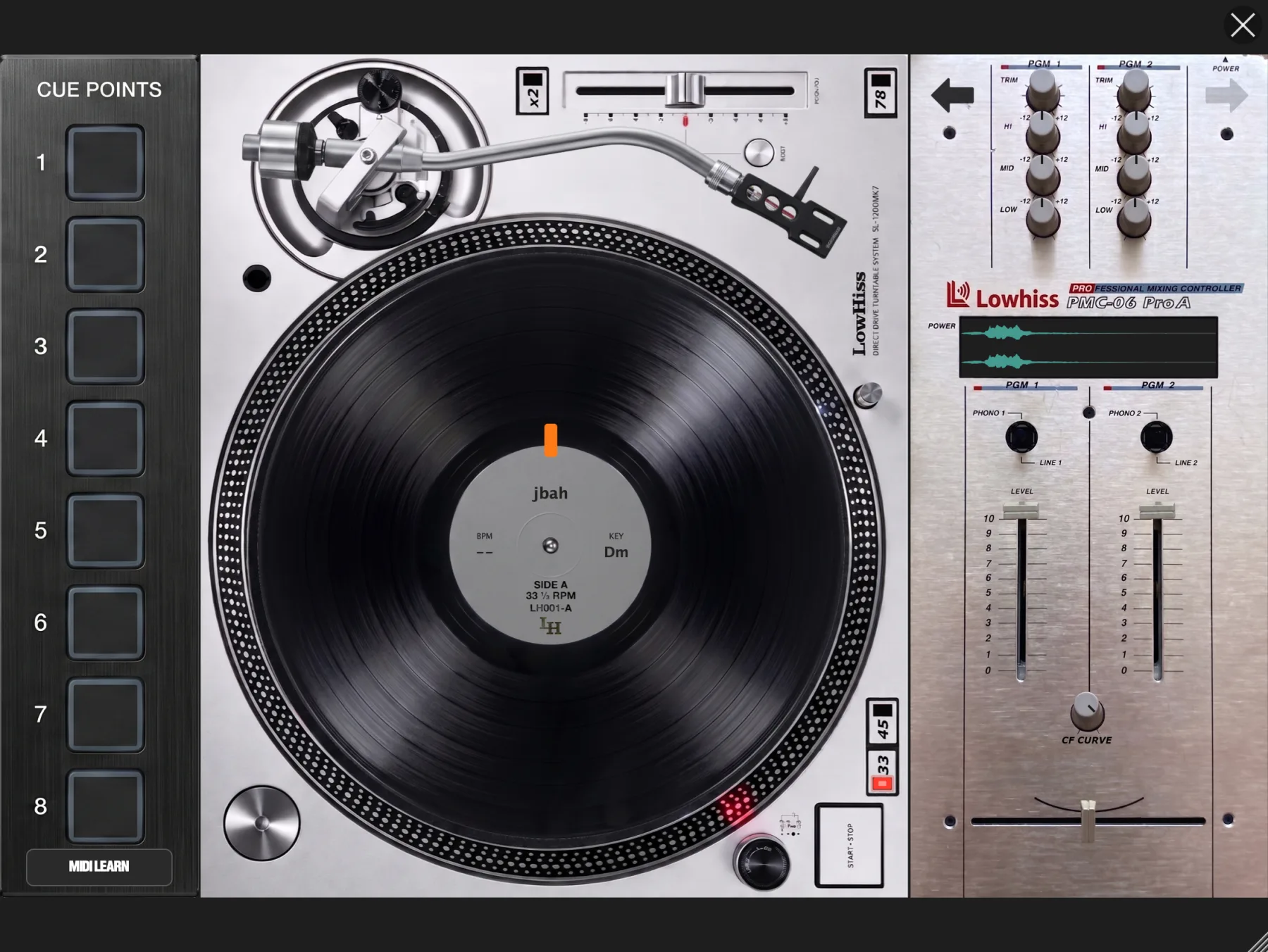
By default there are three columns: the cue strip on the left, the deck in the middle and the mixer on the right. The arrow buttons over the mixer's top corners move the mixer to the other side, mirroring the whole layout to mixer, deck, cue strip. Put the mixer on whichever side your hands want it.
The deck
Put a sound on the deck
The deck plays whichever pad is selected, but it only changes record while it is stopped, so you can play other pads mid-spin without the record swapping under you. You can also press the mixer's waveform window to choose a pad.
If the selected pad is empty, the deck shows a bare platter. Click it for Load Sound..., or drop an audio or video file onto the deck.
The record label shows the pad's sample name, with its BPM to the left of the spindle and its KEY to the right. Both show what you hear, not the original sound: they follow the speed buttons and the pitch fader as you move them, and the pad's own pitch too. A * marks a value you set by hand in the waveform editor, and -- means eSPi could not detect one.
Controls
- START-STOP · Space
- Starts the motor with a fast spin-up, or stops it and lets the platter coast to a halt over four or five seconds. The tonearm lowers while the motor runs. Space works while the turntable is open.
- 33 · 45 · 78
- Speed. The red LED marks the current one. 33 plays the sound at its normal speed.
- Pitch fader
- Drag along the slot. The range is ±16%, or ±32% with the yellow x2 button on (its LED lights). Double-click it to snap it back to 0.00%.
- Quartz (green button)
- Resets the pitch to 0.00%.
- Platter
- Click or touch and drag to scratch: the record follows your hand. Let go and it snaps back to motor speed. Only one hand scratches at a time.
Speed and pitch belong to the pad
This is the important bit. The deck's speed and pitch are stored with the pad, and they change how that pad plays everywhere: live from the pads and in the sequencer. Set a break to 45 with a touch of pitch, close the turntable, and the pad stays that way. That is how sample prep works.
The key and BPM that eSPi detected for the pad follow the deck too: the readouts in the pad menu and the Waveform Editor show what you hear at the current speed. Resampling prints the speed into the new sample and puts the deck back to 33 at 0.00%, so it isn't applied twice.
The sequencer's tempo and the MIDI clock are never affected by the deck.
The mixer
The mixer blends two channels: CH1 is the deck and CH2 is SP, eSPi's normal output. It switches on the first time you open the turntable in a project, and its settings are saved with the project.
- LEVEL faders
- One upfader per channel.
- HI · MID · LOW
- Three EQ knobs per channel. Drag up or down; double-click to reset to flat.
- Crossfader
- Blends deck and SP. A new deck starts with the crossfader all the way over to SP, so nothing changes until you move it. By default the deck end is the side the deck sits on (left in the default layout), and it follows when you move the mixer across.
- CF CURVE
- Shapes the crossfade, from a smooth blend to a sharp cut for scratching.
- Waveform window
- Scrolls with the playhead and shows your cue markers. Press it to choose which pad is on the deck.
There is no off switch for the mixer. To hear eSPi exactly as normal, slide the crossfader all the way to SP.
Hot cues
Eight cue pads let you jump straight back to the snare hit or the start of the phrase.
- Store: tap an empty cue pad while the deck is playing. The pad lights in its own colour.
- Jump: tap a lit pad. Playback carries on from the cue.
- Delete: hold a pad for more than half a second.
The number keys 1 to 8 do the same: tap to store or jump, hold to delete. Cues are stored per pad, so each sound keeps its own set.
Map it to a controller
The MIDI LEARN button under cue pad 8 switches MIDI assignment on and off without leaving the turntable. It lights amber while learn is active. Learning works as described in MIDI Learn. Right-click (or long-press) a control while learn is active to unmap it.
You can map START-STOP, 33, 45, 78, Quartz, x2, the pitch fader, all eight cues, the crossfader, CF CURVE, both LEVEL faders and all six EQ knobs.
The platter as a jog wheel
Map the platter to a controller's jog wheel and turning it scratches. It is learned as an endless, relative encoder. If your jog sends a touch note, that note holds the record while your hand is on the jog, just like a hand on vinyl. A finger on the on-screen platter always wins over the jog.
Settings
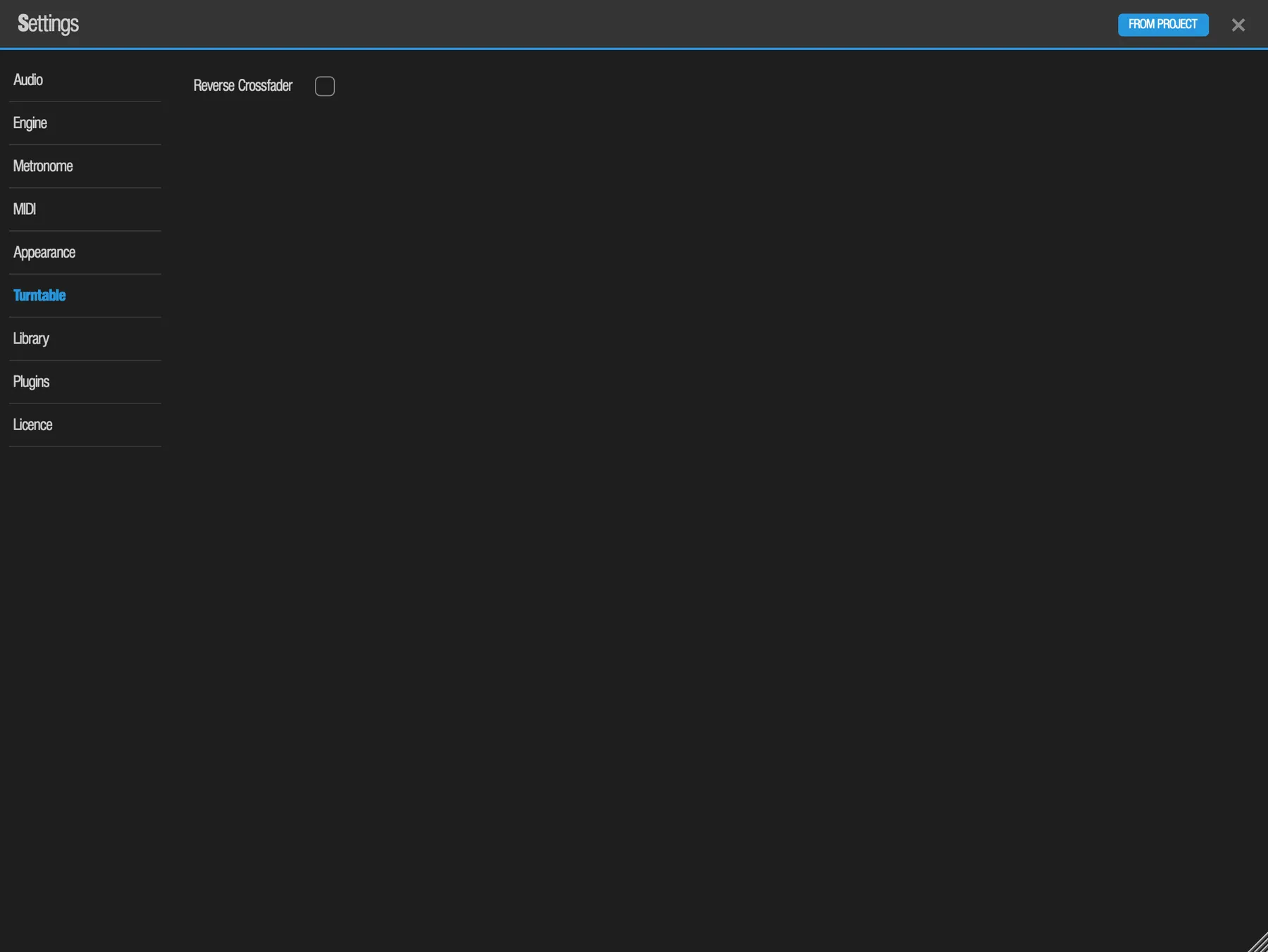
Reverse Crossfader, in Settings › Turntable, flips the crossfader's direction, for DJs who scratch "hamster" style. It is off by default.
Keys
| Key | Does |
|---|---|
| Cmd/Ctrl + D | Open the turntable (standalone; in a plugin, use the sidebar) |
| Space | START-STOP |
| 1 to 8 | Tap to store or jump to a cue, hold to delete it |
| Esc | Close the turntable |